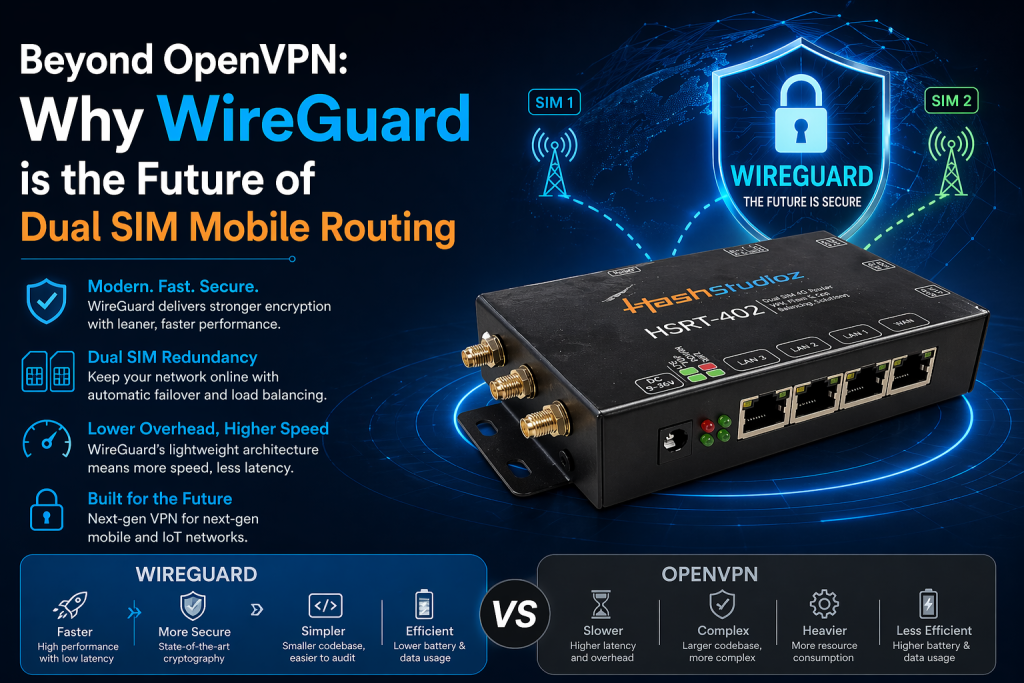

Modern networking demands speed, reliability, and security. Mobile connectivity brings unique challenges. Dual SIM routers allow devices to switch providers. This maintains network uptime in remote areas. Traditional VPN protocols often struggle with these rapid network changes. OpenVPN causes bottlenecks. It places high demands on mobile hardware. WireGuard changes this dynamic completely. A WireGuard VPN Router provides a new standard for mobile operations. This article explores why WireGuard leads the future of dual SIM routing.
The Limitations of Legacy VPN Protocols
Many legacy routers use OpenVPN or IPsec. These protocols belong to a different era. They carry heavy code overhead. They require massive libraries for operation. OpenVPN contains over 600,000 lines of code. This complexity creates security risks. It also consumes excessive system resources.
Mobile routers rely on limited hardware. They often use ARM-based CPUs. OpenVPN places a heavy load on these chips. The encryption process consumes battery. It slows down total throughput. When your router switches between SIM cards, OpenVPN often drops the tunnel. The user experiences long lag times. The connection needs a full re-establishment. This behavior fails real-time applications.
IPsec also presents issues. It requires complex configuration. Many NAT traversal issues exist. This makes it difficult for mobile routers behind CGNAT. Administrators spend hours debugging tunnel failures. These legacy systems feel heavy in modern, fast-paced environments.
The WireGuard Philosophy
Jason Donenfeld created WireGuard to fix these specific issues. He focused on a minimalist design. The entire codebase stays under 4,000 lines. This small size allows for rapid auditing. It reduces the attack surface significantly.
WireGuard uses modern cryptographic primitives. It employs the Noise protocol framework. It uses ChaCha20 for encryption and Poly1305 for authentication. These algorithms perform well on mobile hardware. They offer robust security without the weight of legacy methods. The protocol stays silent. It does not send unauthenticated packets. This makes your WireGuard VPN Router harder to find on the public internet.
Cryptokey Routing: A New Paradigm
The main strength of WireGuard is its roaming capability. Traditional VPNs track connection state strictly. They need a constant handshake to maintain the tunnel. If the IP address changes, the tunnel breaks. The user must manually reconnect.
WireGuard behaves differently. It uses a concept called “cryptokey routing.” It does not care about the physical IP address of the peer. It maps public keys to allowed IP addresses. If the router switches from SIM A to SIM B, the connection persists. The VPN tunnel remains active. Data continues to flow through the new interface. This makes it ideal for vehicles, field equipment, and mobile offices.
Performance Metrics and Benchmarks
Performance matters in remote industrial sites. You need high throughput and low latency. WireGuard delivers on these fronts.
- Handshake Speed: WireGuard establishes a connection in milliseconds. OpenVPN often takes several seconds to complete the handshake.
- Throughput: Tests show WireGuard achieves 3x to 4x higher speeds than OpenVPN on identical ARM hardware.
- CPU Usage: WireGuard consumes minimal CPU cycles. It operates efficiently in kernel space. This reduces heat and battery drain.
- Codebase: WireGuard has a 99% smaller codebase than OpenVPN. This minimizes the risk of undiscovered vulnerabilities.
These metrics confirm why a WireGuard VPN Dual SIM Router outperforms older solutions. It keeps your remote devices online. It processes data without delay.
Deploying a WireGuard VPN Dual SIM Router
Setting up a robust mobile network requires care. Follow these steps for the best results:
- Hardware Selection: Select a router with OpenWrt or similar open firmware. These platforms provide the best WireGuard integration.
- Firmware Management: Keep your router firmware updated. This ensures you have the latest security patches.
- Key Generation: Use unique keys for every peer. Never share private keys across different devices.
- Interface Mapping: Assign a static internal IP to the router. This simplifies your routing tables.
- Failover Configuration: Configure load-balancing settings. Ensure your primary SIM holds the highest priority. Test the failover by pulling the primary SIM.
- Firewall Policies: Limit inbound traffic to trusted peers. Use strict firewall rules on the router.
These steps create a stable, secure network. They prevent common configuration errors. They provide a predictable environment for your mobile fleet.
Security Considerations
Security remains the primary goal of any VPN. OpenVPN is configurable. This creates a risk of human error. Incorrect settings lead to vulnerabilities. WireGuard removes this choice. It uses a fixed suite of modern algorithms. You cannot downgrade the encryption. This approach eliminates entire classes of human error.
Small code reduces the chance of bugs. Security researchers audit 4,000 lines of code easily. They find issues fast. The community fixes these bugs quickly. OpenVPN’s large size makes it harder to audit. Hidden vulnerabilities can persist for years in large codebases.
WireGuard also provides “stealth mode.” The server does not respond to unauthenticated packets. It does not send pings that scanners detect. This discourages automated attacks. Your WireGuard VPN Router stays hidden from scanning bots.
Real-World Use Cases
The benefits of WireGuard apply to many industries.
1. Fleet Management
Trucks and ships cross many network zones. A WireGuard VPN Dual SIM Router maintains the connection between the vehicle and the base office. It switches towers seamlessly. The driver experiences zero connection drops. Telemetry data stays consistent.
2. Remote Industrial Monitoring
Solar farms and oil rigs need constant access. They use dual SIMs for failover. WireGuard ensures the data tunnel stays up. Technicians get real-time status updates. No one needs to manually reset the VPN.
3. Mobile Workspaces
Digital nomads require stability. Public Wi-Fi poses risks. A mobile router provides a private, encrypted bubble. WireGuard handles the switch from Wi-Fi to cellular data. The user stays secure without active management.
Addressing MTU Issues in Mobile Routing
Mobile networks often have strict MTU (Maximum Transmission Unit) limits. Large packets cause fragmentation. Fragmentation slows down connections. It also drops packets.
WireGuard handles MTU settings efficiently. You can set a lower MTU on your mobile interface. This avoids packet fragmentation. Many legacy protocols struggle with this adjustment. WireGuard handles it natively in the interface configuration. This ensures high efficiency on cellular networks. It prevents packet loss during high-load scenarios.
Comparing WireGuard and IPsec
IPsec serves as the standard for many enterprise VPNs. It provides strong security. However, it suffers from complexity. It requires complex policy databases. It often fails when mobile routers roam between different NAT environments.
WireGuard offers a simpler alternative. It does not need complex key exchanges. It treats VPN tunnels like virtual network interfaces. You manage them using standard networking tools. You add routes. You set up firewall rules. Everything follows standard Linux networking practices. This lowers the barrier for network engineers. It also makes troubleshooting much faster.
The Future of Edge Computing
The networking industry moves fast. Edge computing requires high-speed connectivity. Remote devices must process data locally. Then they send results to the cloud.
WireGuard fits this requirement perfectly. It aligns with the trends of high-speed 5G. It supports mobile edge computing. It provides the speed and the reliability that mobile users expect. As 5G grows, the need for efficient protocols will rise. WireGuard stands ready to meet this demand.
Network Latency and Jitter
Latency kills user experience. High jitter ruins video calls. WireGuard excels in these areas. Because it handles the handshake quickly, it minimizes latency spikes.
It avoids the “re-handshake” penalty. When a dual SIM router switches towers, the latency might spike temporarily. WireGuard absorbs this better than legacy protocols. It does not wait for a new handshake. It sends packets immediately. This provides a smoother experience for voice and video traffic.
Best Practices for Reliability
Reliability depends on more than just the protocol. You need a solid deployment strategy.
- Monitoring: Use tools to monitor your VPN tunnel status. Set alerts for tunnel downtime.
- Redundancy: Always keep a secondary backup for your VPN server. If the main server fails, the router should switch to the backup.
- Client Management: Use a central manager to deploy keys. This prevents key management nightmares.
- Traffic Shaping: Prioritize your critical traffic. Use Quality of Service (QoS) settings to protect real-time data.
- Audit Regularly: Check your logs for strange activity. Ensure only authorized peers connect.
These practices turn a simple router into an enterprise-grade gateway. They ensure your mobile network remains robust.
Conclusion
The switch to WireGuard is logical. It offers superior speed. It improves security significantly. It handles network changes better than any other protocol. A WireGuard VPN Router acts as a robust gateway for remote work. It protects your data while maintaining high performance.
Evaluate your current network setup today. If you depend on mobile or industrial routing, upgrade to WireGuard. Your connection stability will improve instantly. Your system will gain efficiency. You will stay ahead in a connected world. The era of bloated, slow VPNs ends now. WireGuard provides the speed and the reliability that the modern mobile landscape demands. Embrace this technology to secure your future.